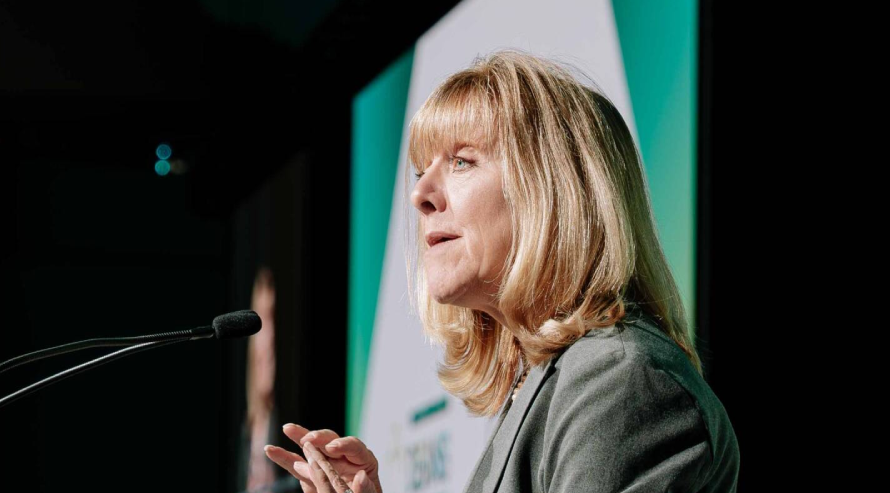


Your LinkedIn profile is often the first place people go to learn about your professional background. While your headshot introduces you, the cover image gives you another opportunity to show your work, personality, or professional style.
A thoughtfully planned LinkedIn cover image can make your profile feel more complete and give visitors a better idea of what you do before they even read your headline.
This guide covers the key things to consider when planning LinkedIn cover image photography, from choosing the right setting and composition to creating an image that fits your professional identity.
What Is a LinkedIn Cover Image?
A LinkedIn cover image is the wide background photograph displayed behind your profile picture. It gives you additional space to show your work, industry, location, or personal brand.
Unlike a corporate headshot, it does not need to show your face. It can instead use your workplace, city, equipment, workspace, or another visual connected to what you do.
Common Cover Image Ideas
- Professional workspace
- Toronto skyline
- Office environment
- Industry related setting
- Working photograph
- Brand colours and visual elements
- Personal branding photograph
Why Does Your LinkedIn Cover Image Matter?
A cover image gives your profile another visual layer. LinkedIn itself describes the cover image as a way to make your professional story more visually appealing and help you stand out to recruiters, employers, clients, and other members.
The important part is choosing an image that feels connected to you. A random stock photograph may fill the space, but a professionally photographed image can make the profile feel more personal.
Think About the First Impression
Your headshot shows who you are. The cover image can give people a little context about what you do.
What Makes a Good LinkedIn Cover Photo?
A strong cover photo needs to work within a very wide space. That means the composition cannot be treated like a normal portrait or landscape photograph.
The subject should have enough breathing room, while important visual details should stay away from areas that may be covered by your profile photo or cropped on different screens.
LinkedIn notes that how a cover image appears can change depending on browser size and screen resolution.
Keep the Composition Simple
Avoid filling the frame with too many objects, small details, or long pieces of text. One clear visual idea is usually enough.
What Size Should a LinkedIn Cover Image Be?
For a personal LinkedIn profile, the recommended cover image size is 1584 × 396 pixels. LinkedIn supports JPG and PNG files, with a maximum file size of 8 MB.
Getting the dimensions right matters because an incorrectly sized photograph may need extra cropping after upload. That can remove part of the composition you originally intended to show.
| LinkedIn Image | Recommended Size |
| Profile photo | 400 × 400 px or larger |
| Personal cover image | 1584 × 396 px |
| Company Page cover | 4200 × 700 px |
LinkedIn lists 400 × 400 pixels as the minimum recommended size for profile photos and 1584 × 396 pixels for personal background images.
Should You Use a Professional Photograph or Stock Image?
Stock images can work when you need a quick solution, but they rarely say anything specific about the person behind the profile.
A professional linkedin photograph gives you control over the location, lighting, composition, colours, and subject. For example, a Toronto architect could use a photograph from a project site, while a consultant might use a clean office setting.
The image becomes connected to the person’s actual work rather than simply filling an empty banner space.
Also read: Where to get a professional headshot for linkedin
Real Images Feel More Personal
A photograph from your workplace or professional environment can give visitors a better sense of what you actually do.
LinkedIn Cover Image Ideas for Different Professionals
There is no single cover image style that works for every profession. Your industry should influence the location, clothing, colours, and overall feel of the photograph.
A lawyer may prefer a clean office or architectural setting. A real estate professional could use a cityscape or property related image. A creative professional may have more room for an editorial approach.
Match the Image to Your Work
Think about what someone should understand about your profession after seeing the cover image for only a few seconds.
Personal Branding Photography for LinkedIn
A LinkedIn cover image can also be part of a larger personal branding photography session. Instead of photographing one headshot, you can create several images for different parts of your online presence.
A session could include a traditional headshot, wider portraits, working photographs, office images, and horizontal compositions specifically planned for your LinkedIn banner.
Personal branding photography is useful when you need a consistent collection of photographs across LinkedIn, your website, social media, and other professional platforms.
One Session Can Give You More Content
Planning the cover image alongside your headshots can save you from arranging another photoshoot later.
How to Position Yourself for a LinkedIn Cover Image
The wide format changes how you should stand or sit in the frame. You do not necessarily need to be in the centre.
Leaving space beside you can create room for your profile layout and allow the photograph to feel less crowded. A photographer can also capture several horizontal compositions during the same session.
Leave Room Around the Subject
Give the photographer enough space to create different crops. This makes the final image easier to adapt for LinkedIn and other platforms.
Should You Add Text to a LinkedIn Cover Image?
Text can be useful, but it should not take over the photograph. A short professional statement, website address, or service description may work when it is designed carefully.
Keep in mind that LinkedIn can crop images differently across devices. Important information placed too close to the edges may not remain visible.
LinkedIn also recommends keeping key details away from the edges of cover images because images can be adjusted for different screen sizes.
Keep Text Short
One clear message is easier to read than several lines competing with the photograph.
Choosing the Right Background for Your LinkedIn Photo
Your background does not have to be complicated. A clean office, studio wall, modern building, workplace, or Toronto location can work well.
The right choice depends on your profession and the image you want to create. A corporate executive may prefer something understated, while a creative professional may want stronger visual character.
Let Your Industry Guide You
Choose a setting that makes sense for your work instead of using a location simply because it looks impressive.
Why Professional Lighting Matters
LinkedIn cover photographs are wide, but that does not mean lighting becomes less important. Poorly lit images can look flat, distracting, or inconsistent with a professional profile.
A photographer can use natural or studio lighting depending on the location and create enough separation between the subject and background. The result should still feel natural rather than heavily staged.
MT Studio Toronto uses professional lighting, composition, and direction across its headshot and personal branding sessions.
Keep the Look Natural
The aim is to create a photograph that looks polished while still feeling like a real representation of you and your work.
How to Prepare for LinkedIn Cover Image Photography
Before the session, think about where you want to use the photographs and what you want the profile to communicate.
Choose clothing that fits your profession, bring relevant items if they help tell your story, and consider locations connected to your work. If you already have a LinkedIn headshot, the cover image can be planned to complement it.
Know What You Need Before the Shoot
Tell your photographer whether you want a clean corporate look, a workplace photograph, a Toronto backdrop, or a broader personal branding session.
Why Choose MT Studio Toronto for LinkedIn Cover Image Photography?
A LinkedIn cover image works best when it is planned around the person, not treated as an afterthought. MT Studio Toronto provides professional headshots, personal branding photography, corporate photography, and LinkedIn photography for professionals across Toronto and the GTA.
Sessions can be planned around your profession, preferred setting, clothing, and intended use. The studio also provides guidance on posing, lighting, backgrounds, and image selection, which can be helpful if you are not comfortable in front of the camera.
Looking for LinkedIn cover image photography in Toronto? Contact MT Studio Toronto to plan a session around your professional image and personal brand.
Final Thoughts
A LinkedIn cover image has a small amount of space, but it can add useful context to your professional profile. The best results come from a photograph that fits the platform, reflects your work, and feels connected to your personal brand.
If you are updating your LinkedIn presence in Toronto, consider creating the cover image alongside your professional headshots so the two photographs work together rather than looking like separate pieces.
FAQs
What size should a LinkedIn cover image be?
LinkedIn recommends 1584 × 396 pixels for personal profile background images. JPG and PNG files are supported.
Can I use a professional photograph as my LinkedIn cover image?
Yes. A workplace, personal branding, cityscape, or industry related photograph can work well as a LinkedIn background.
Should my LinkedIn cover image include text?
It can, but keep the message short and place important information away from the edges to reduce cropping issues.
Is LinkedIn cover image photography different from headshot photography?
Yes. A headshot focuses on your face, while a cover image uses a much wider composition to communicate your professional setting or personal brand.
Can a photographer create both my headshot and cover image?
Yes. Combining both during a personal branding session can create images that work together across your LinkedIn profile and other professional platforms.
What should I put on my LinkedIn cover photo?
You can use a professional workspace, Toronto cityscape, industry related setting, personal branding photograph, or a simple visual connected to your work.
Where can I get LinkedIn photography in Toronto?
MT Studio Toronto offers LinkedIn headshots, corporate photography, and personal branding sessions for professionals across Toronto and the GTA.